MaxOptra route planning, powered by Quartix tracking
Cloud-based multi-drop route planning that pulls live Quartix tracking data to build more efficient routes, cut fuel costs, and keep delivery ETAs accurate when things change on the road.
 ×
×
From sign-up to optimised routes in three steps
You'll sign up with MaxOptra directly, then connect your Quartix feed during onboarding.
Sign up with MaxOptra
Start a free trial or book a demo on the MaxOptra website. Their team will scope the right plan for your fleet size and routing complexity.
MaxOptra onboarding call
Your dedicated Implementation Manager walks you through setup. Mention that you're a Quartix customer so they enable the integration during configuration.
Import, optimise, dispatch
Upload orders via CSV or connect your order system to the MaxOptra Open API. Click optimise, review, and send to drivers. Quartix tracks the execution live.
Cloud-based route planning built for multi-drop fleets
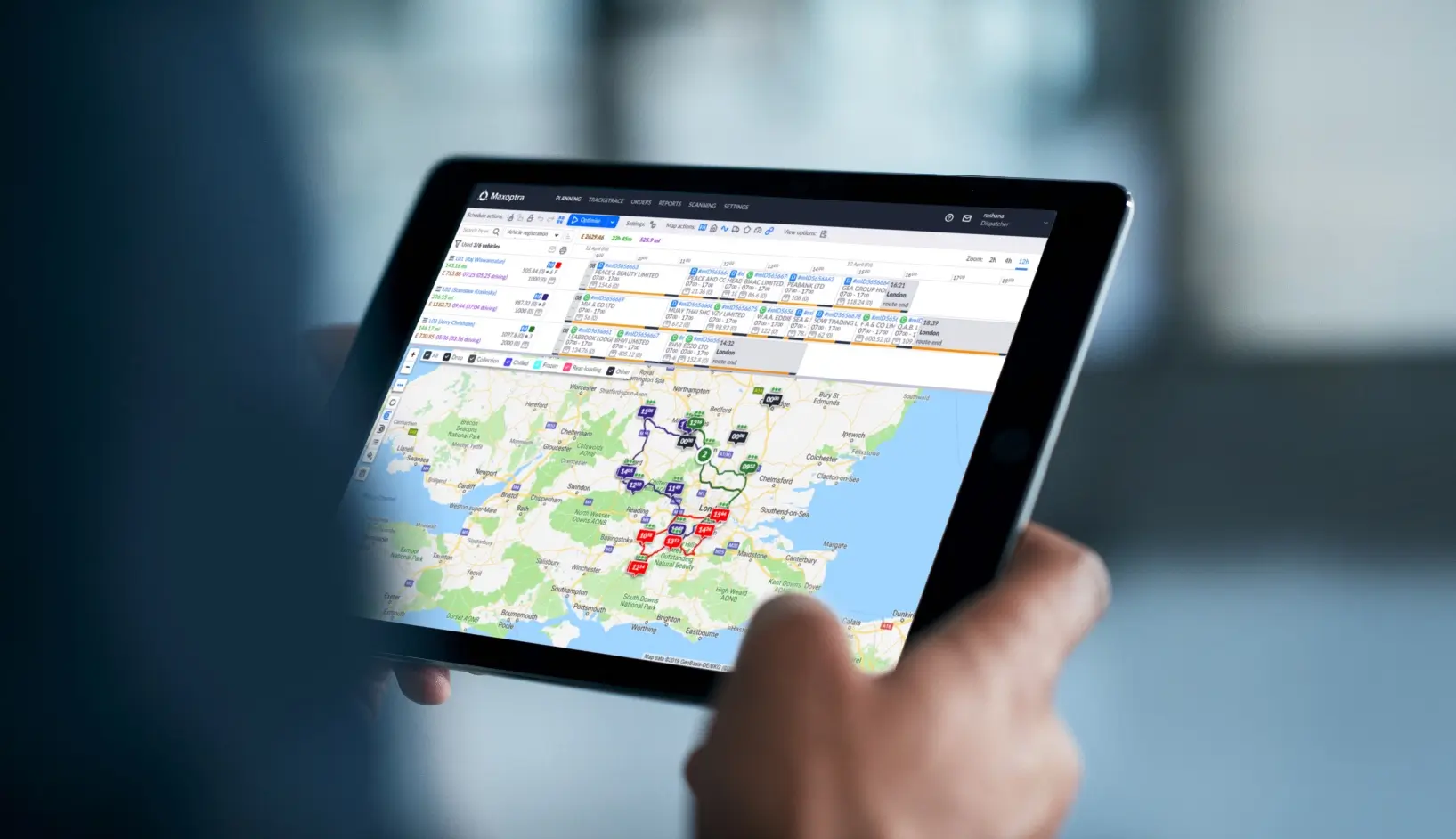
MaxOptra ingests your Quartix telematics data through the QWS enterprise API. Routes are planned against real vehicle positions, historical traffic, time windows, load capacities, and driver hours. ETAs recalculate automatically when a driver is delayed or rerouted on the road.
- Automatic route optimisation factoring time windows, capacity, and driver hours
- Live vehicle position from Quartix feeds directly into the plan
- Drag-and-drop editing with instant cost and distance feedback
- Plan vs actual analysis using Quartix trip data
- Customer tracking widget with real-time delivery status
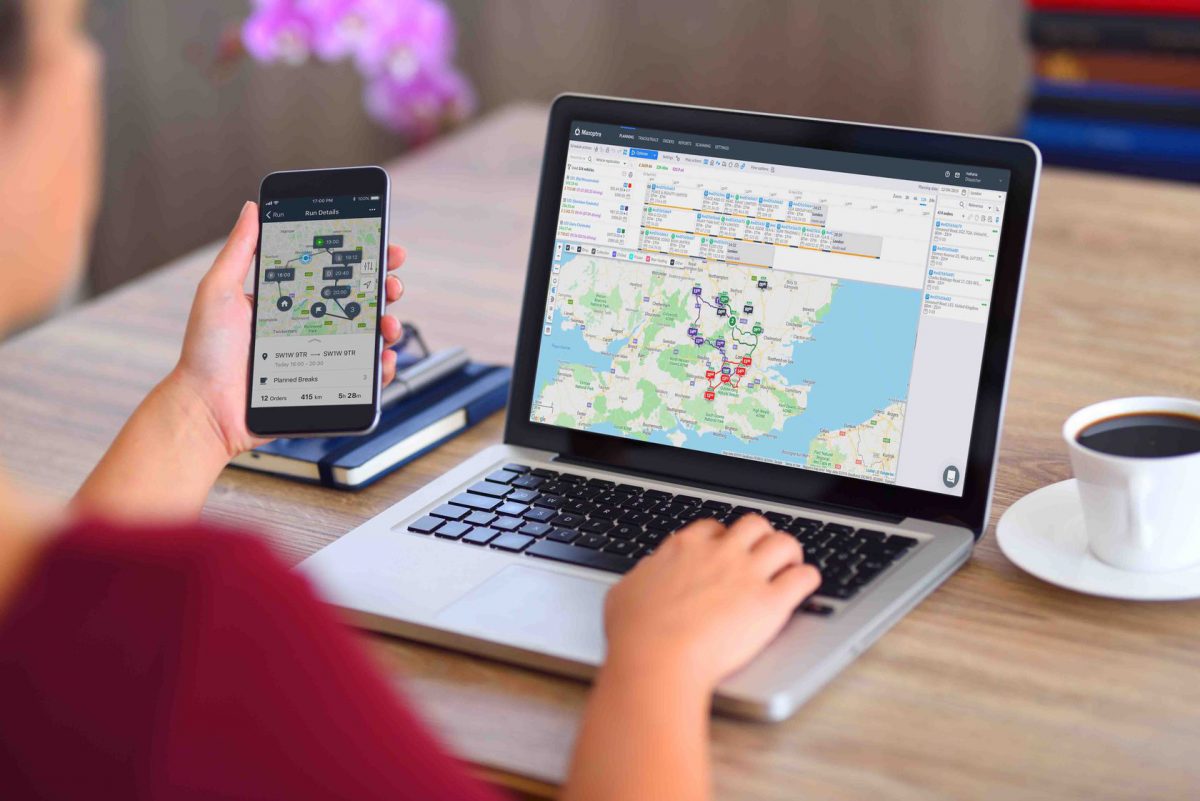
What you get when MaxOptra is connected to Quartix
Quartix tells you where your vehicles are. MaxOptra tells you where they should go next. Together, they close the loop between tracking and planning.
Automatic Route Optimisation
Algorithms factor in time windows, vehicle capacity, driver breaks, and required skills to build the most efficient multi-drop routes.
Smart RoutingDrag-and-Drop Editing
Reorder stops or reassign jobs on the fly with live cost and distance feedback so you always see the impact of changes.
Live FeedbackLive ETA Recalculation
Customer arrival times update automatically as traffic and delays happen, backed by live Quartix vehicle positions.
Real-TimePlan vs Actual Analysis
Compare your planned route against what actually happened using Quartix trip data to tighten future plans.
Performance InsightClose the loop between tracking and planning
Multi-drop fleets running routes from spreadsheets lose hours to manual planning and miles to inefficient stop sequences. When traffic or delays hit, customer ETAs are out of date the moment they're sent.
MaxOptra replaces that with algorithmic route optimisation, live ETA recalculation, and plan vs actual reporting built on Quartix data. The result is fewer miles driven, more accurate customer promises, and a clear picture of where your operation can tighten up.
MaxOptra plugged straight into our Quartix feed. We cut a good chunk of mileage off our daily runs in the first fortnight and customers love the live ETA updates.
What you need to know
How does the integration work?
MaxOptra ingests your Quartix telematics data through the QWS enterprise API. Routes are planned against real vehicle positions, historical traffic, time windows, load capacities, and driver hours.
Which Quartix plan do I need?
The integration runs off the QWS enterprise API, which is included on the Info Fleet plan. There's no extra charge from Quartix for the integration itself.
How long does setup take?
Typically around a day. You sign up with MaxOptra directly, then connect your Quartix feed during the onboarding call with your dedicated Implementation Manager.
How do I get my orders into MaxOptra?
Upload via CSV, or connect your order management system directly to the MaxOptra Open API for live order sync.
What happens when a driver is delayed?
ETAs recalculate automatically using live Quartix position data. You can see the impact instantly and reassign stops with drag-and-drop if needed.
How is MaxOptra priced?
MaxOptra is billed separately on a SaaS subscription that scales with vehicle count and feature needs. Track & Trace is the entry tier; Optimiser adds full route planning. MaxOptra provide exact pricing after a scoping call.
Interested in Quartix?
Get in touch to learn more about Quartix vehicle tracking. Already a Quartix customer? Contact MaxOptra directly to enable the integration during their onboarding process.
- Up to 20% daily mileage reduction on multi-drop fleets
- Live ETA recalculation using Quartix position data
- Drag-and-drop route editing with instant cost feedback
- Plan vs actual reporting powered by Quartix trip data
- Setup in around a day, included with Info Fleet plan
Request more information
We'll be in touch to discuss how Quartix can work for your fleet.
No obligation. We'll be in touch within 1 business day.
Ready to connect MaxOptra to your Quartix account?
Get in touch with the MaxOptra team to discuss your fleet's requirements and book a demo on their side.
MaxOptra route planning, integrated with Quartix.